Personal project · Creative tool · 2026
jongle
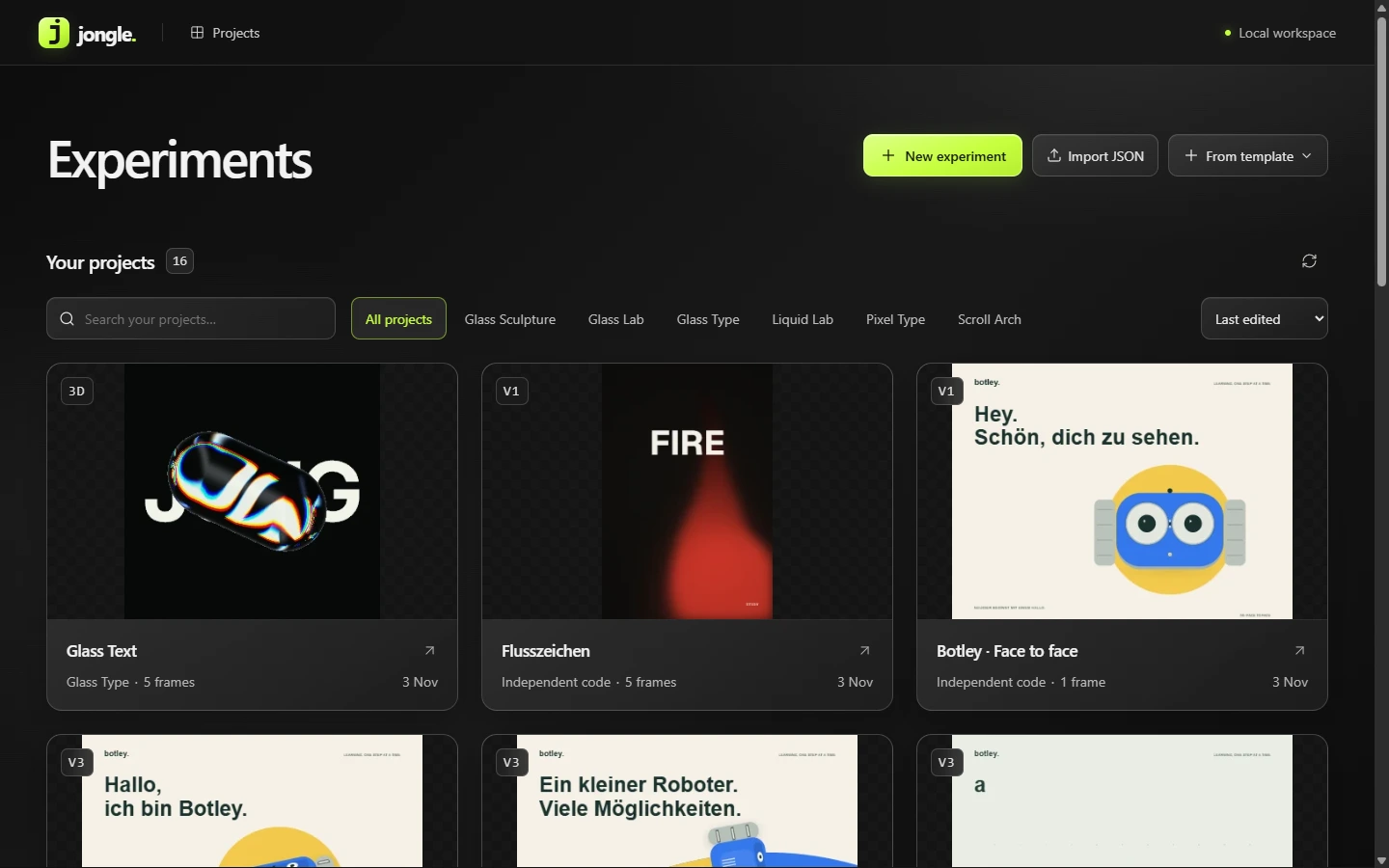
A local tool for generative graphic and motion experiments.
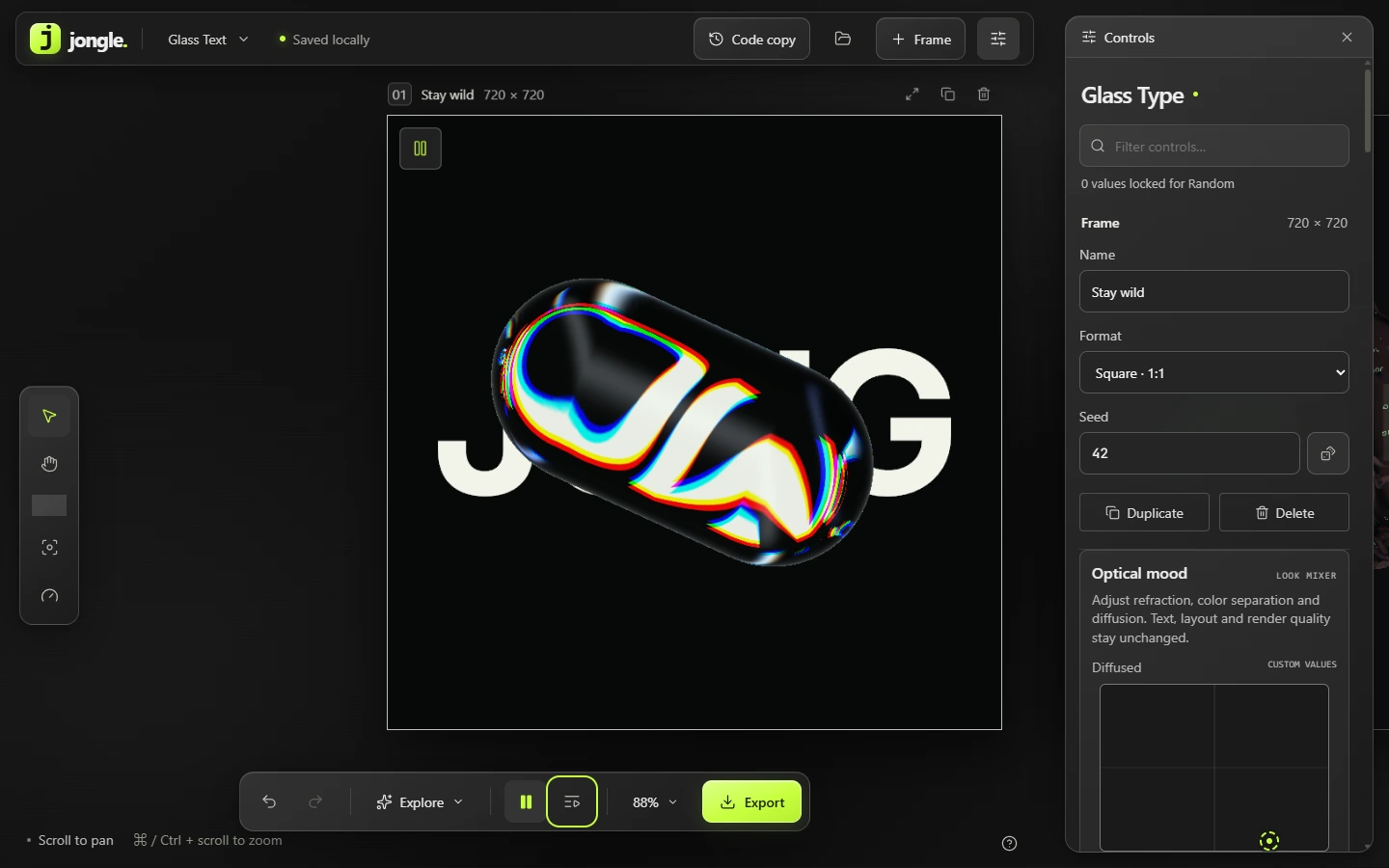
With AI, complex graphics and animations can be written in code quickly. Fine-tuning through text prompts is the slow part: prompting again for every small shift in colour or timing takes too long. Jongle therefore gives those code experiments a fixed surface with controls, live preview and export.
01Starting point
Prompt for the rough. Controls for the detail.
I still write the code for a new experiment with AI support in Cursor. Jongle takes over after that: instead of nudging parameters back and forth in chat (and burning tokens), I steer the result through sliders, colour fields and presets. The app does not need its own AI connection or API keys.
02Product
One fixed interface for changing experiments.
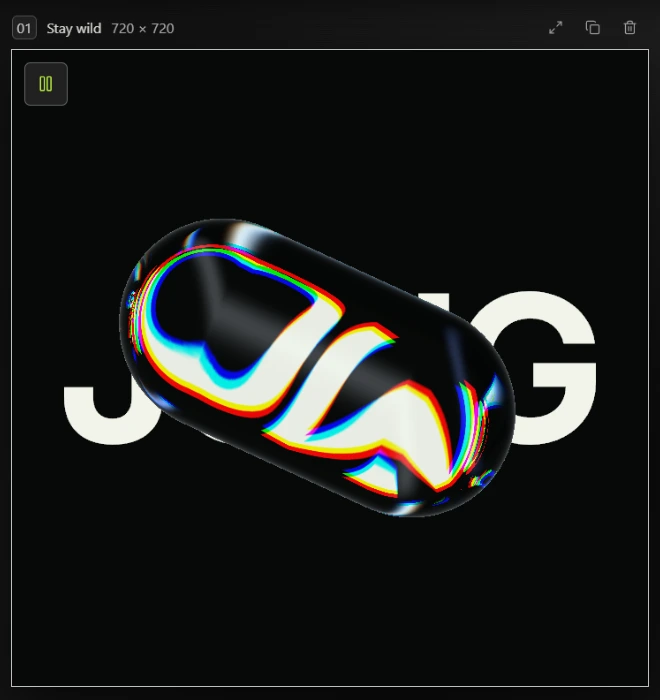
Whether glass effects, particles or SVG graphics: the workspace around them stays the same. I no longer need to assemble provisional controls for every small script.
Try
Presets give a quick start. Random rolls new variants; important values can be locked first.
Tune
Parameters from the code show up as direct controls and visual mixers. Everything runs in realtime with undo.
Save & export
Good states can be saved locally as presets. Export depends on the technique: high-res PNG, video sequence or clean SVG.
03Design
Quiet surface, clear signal.
Because the canvas often runs with strong colour and light, the interface stays in dark grey (#121512). Bright lime (#C1FF39) marks only active states and selected elements.
jongle.
MAKE / MODIFY / KEEP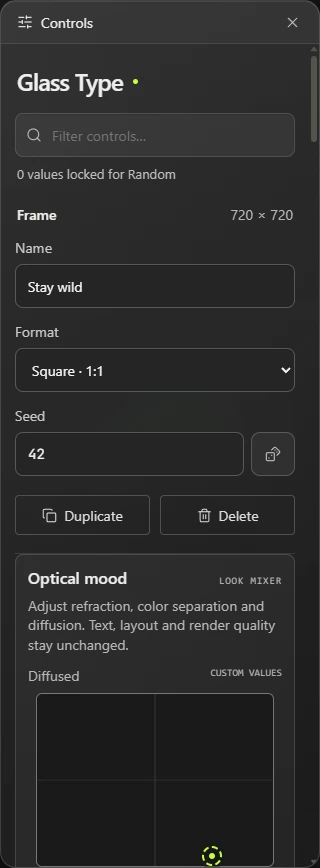
04Motion
Test several variants side by side.
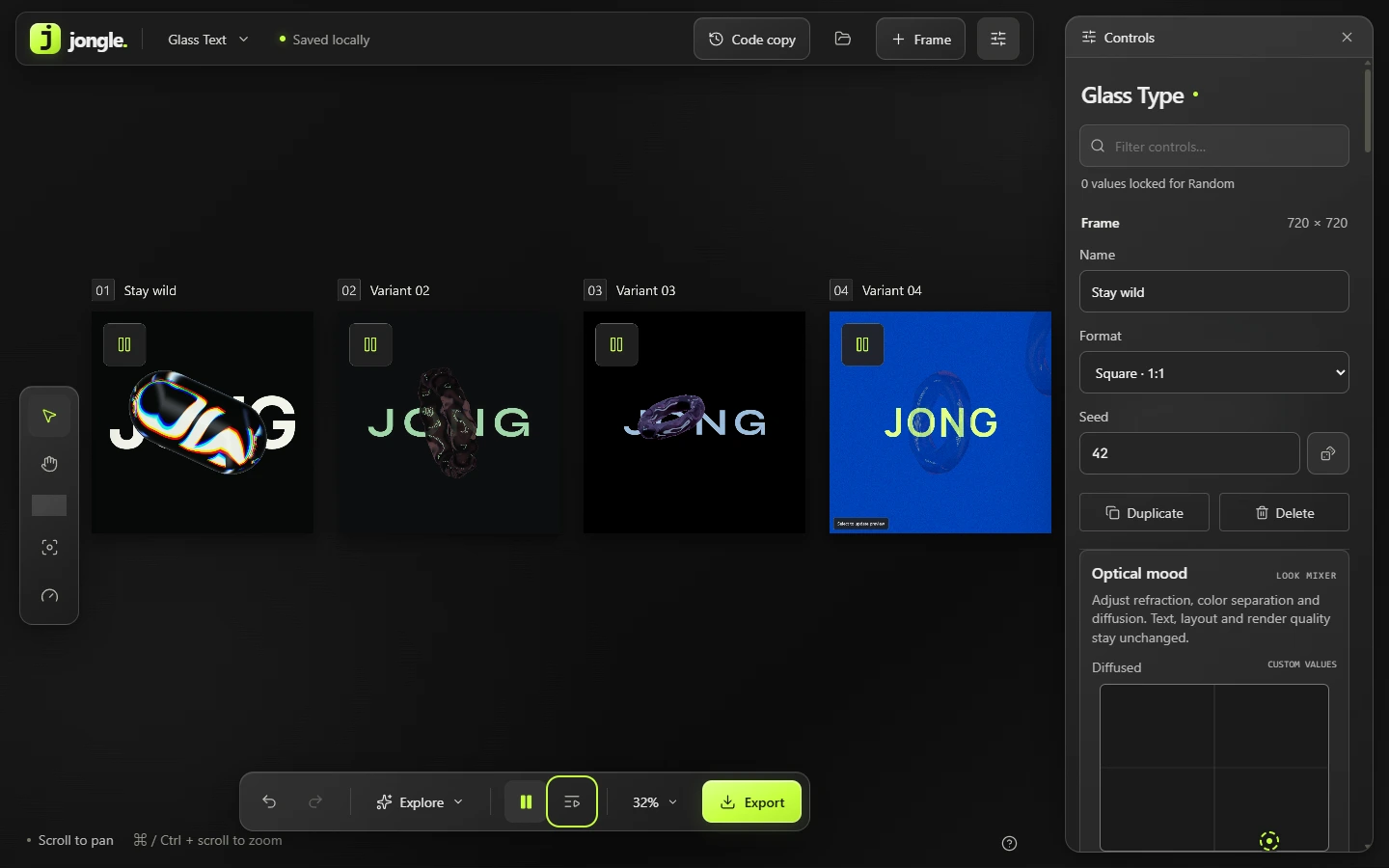
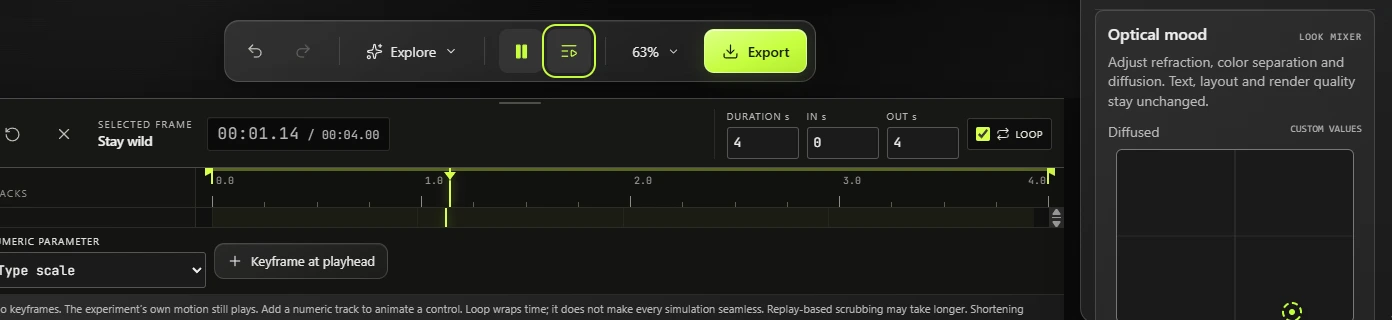
In Jongle, several frames sit on the board at once, each with its own timeline. One animation can keep playing on the left while I pause and refine a second variant on the right.
Start one frame and leave the other paused. Select a frame to change only its time.
Reduced SVG demo of the playback principle, not the full studio.
05Status & outlook
A tool from my own practice.
Jongle grew out of my own work, to build visual assets faster and with more control.
Project status
A tool from my own practice.
What works
The studio surface, preset system, independent timeline control and exports run stably locally.
What still sticks
For some physics-based animations, loops and timeline jumps still cannot scrub cleanly forwards and back.
Next step
New scripts are still wired into the code by hand. Next they should drop in automatically from Cursor, possibly with a direct AI chat in the tool.